
PowerPoint to PDF Converter
Convert Microsoft PowerPoint (PPT and PPTX) presentation decks into high-quality PDF documents while preserving fonts, shapes, images, and slide layouts. Fast, secure, and free to use.
Converting your document...
Your document is being processed. Please wait a few seconds and do not close or refresh this page.
Processing your document...
Conversion Complete!
presentation.pdf
Your PowerPoint presentation has been successfully converted to PDF. Your download will start automatically. If it doesn't, you can download it again below.
PPT
Supported
PPTX
Supported
25 MB
Maximum File Size
Secure
File Processing
Features
✓ PPT & PPTX Support
Convert Microsoft PowerPoint slide decks into PDF instantly.
✓ Preserve Slide Layouts
Maintain graphics, shapes, slide hierarchy, and typography.
✓ High Quality PDF
Create presentation-ready PDF documents with crisp resolution.
✓ No Registration
Convert files without creating an account.
✓ Free Online Tool
No software installation required.
✓ Multiple Devices
Use on desktop, tablet and mobile.
How to Convert PowerPoint to PDF
Convert your Microsoft PowerPoint presentation into a portable PDF in just three simple steps. No registration or software installation is required.
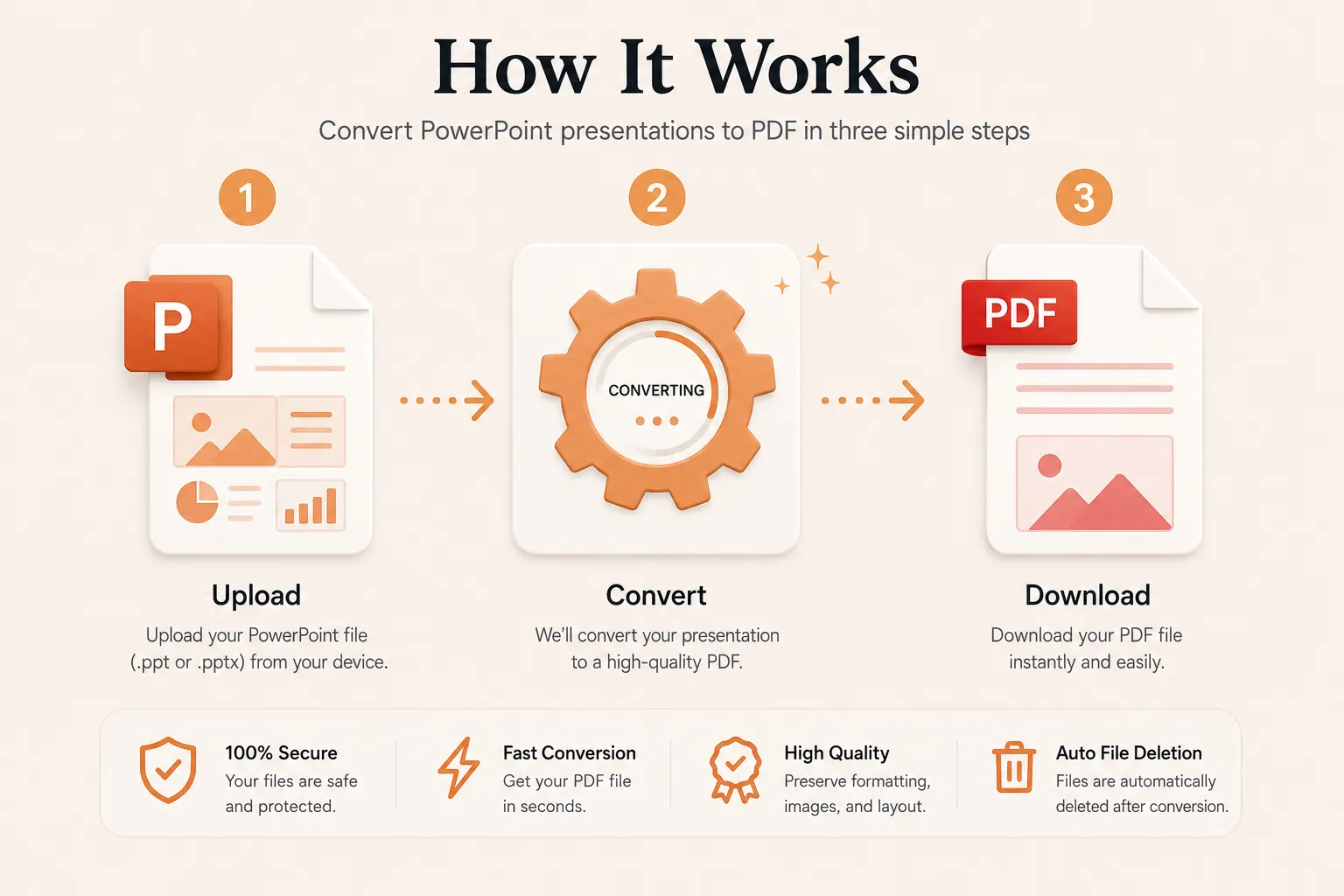
Upload Your PowerPoint File
Click Select File or drag and drop your PPT or PPTX file into the upload area.
Convert to PDF
Click the Convert button. Your slides are processed while preserving formatting, shapes, graphics, and design.
Download Your PDF
Your PDF will be ready in seconds. Download it instantly and present, share, or print whenever you need.
Why Choose Our Free PowerPoint to PDF Converter?
Our PowerPoint to PDF converter is designed for speakers, students, sales teams, business executives, educators, and researchers who need consistent slide presentation rendering. Convert PPT and PPTX presentation decks into crisp PDF files while retaining vector shapes, custom fonts, embedded charts, graphics, and slide dimensions.
Preserve Original Slide Layouts
Your converted PDF maintains exact typography, bullet points, diagrams, chart graphics, slide proportions, and element alignment.
Fast Conversion
Upload your Microsoft PowerPoint workbook or deck and receive your PDF within seconds without complicated software.
Secure Processing
Files are processed securely and automatically removed after conversion to protect your private presentation data.
Works on Every Device
Compatible with Windows, macOS, Linux, Android and iPhone browsers.
What is a PowerPoint to PDF Converter?
A PowerPoint to PDF converter is an online document utility that converts Microsoft PowerPoint presentations (PPT and PPTX formats) into Portable Document Format (PDF) files. PDFs lock in the original slide layouts, vector elements, fonts, colors, and graphics, guaranteeing that your deck renders identical across all devices and display screens without missing font dependencies.
Unlike dynamic presentation files which require specific office software installations or installed fonts to display correctly, PDFs offer universal compatibility. They are widely used for pitch decks, meeting handouts, academic lectures, webinar materials, conference slides, and printable document archives.
Our free online PowerPoint to PDF converter makes the conversion process fast and effortless. Upload your PPT or PPTX deck, process it in seconds, and download a presentation-ready PDF without needing Microsoft Office or third-party desktop software.
Why Convert PowerPoint Presentations to PDF?
Converting a PowerPoint slide deck to PDF offers critical advantages for sharing and presenting. PDF files preserve exact layout coordinates, preventing unexpected layout shifts or missing custom font errors when opened on mobile devices or different operating systems.
- Ensure slides render consistently on all projector and monitor setups.
- Prevent accidental editing or content changes before sharing pitch decks.
- Ideal for generating printable meeting handouts or digital reading sets.
- Compatible with Windows, macOS, Linux, Android, and iOS devices.
- Optimize and compress file sizes for convenient email attachments.
- Professional distribution format for corporate proposals and lectures.
- Archival stability for long-term document retention.
- Universally accepted across business, academic, and client portals.
Supported PowerPoint File Formats
Our converter supports standard Microsoft PowerPoint presentation formats.
| Format | Description |
|---|---|
| PPT | Legacy Microsoft PowerPoint binary presentation file. |
| PPTX | Modern OpenXML Microsoft PowerPoint presentation deck. |
Both presentation formats are converted into standardized, print-ready PDF files suitable for viewing, presenting, and archiving.
Why Choose Doccraft?
| Feature | Doccraft Suite | Many Other Tools |
|---|---|---|
| Free to Use | ✅ | ✅ |
| No Registration | ✅ | Sometimes |
| Secure Processing | ✅ | ✅ |
| Works on Mobile | ✅ | Some |
| High Quality Output | ✅ | Varies |
| No Software Installation | ✅ | Some |
Why Users Trust Doccraft Suite
🔒 Secure File Processing
Your presentation assets are encrypted and securely processed during conversion.
🗑 Automatic File Deletion
Uploaded presentations are automatically purged from servers after processing.
👤 No Registration Required
Convert PowerPoint files immediately without registering an account.
⚡ Fast Conversion
Most presentation decks convert into PDF within just a few seconds.
💻 Works Everywhere
Full browser compatibility across Windows, macOS, Linux, Android, and iOS.
📄 High Quality PDFs
Preserves slide elements, high-res images, charts, and layout dimensions accurately.
Privacy and File Security
Protecting your confidential business and presentation data is our highest priority. Every uploaded file is transmitted securely over HTTPS, and access is strictly isolated to the automated conversion sandbox. Files are never publicly indexable or exposed.
To enforce strict privacy standards, uploaded presentations and generated PDF files are permanently destroyed shortly after processing completes.
Whether you're converting corporate pitch decks, investor reports, training slides, financial previews, or academic research, your presentations are protected every step of the way.
Common Uses for PowerPoint to PDF Conversion
Students & Educators
Convert slide decks into compact PDF notes for studying and printing lecture handouts.
Sales & Pitch Decks
Share immutable proposals and product showcases with prospective clients safely.
Corporate Executives
Distribute executive summaries and quarterly meeting materials cleanly across teams.
Conference Speakers
Provide conference organizers with standardized PDF slides that display reliably.
Webinar Hosts
Create downloadable slide resources and attendee follow-up materials.
Training Instructors
Generate official course reading guides and printable exercise booklets.
Tips for the Best PowerPoint to PDF Conversion
- Save and review your presentation slides before uploading.
- Ensure graphics and diagrams do not overlap text bounding boxes.
- Verify slide aspect ratio (16:9 widescreen or 4:3 standard) for printing alignment.
- Compress oversized background images to reduce output PDF size.
- Verify hyperlinks on slides are embedded properly.
- Proofread slide copy prior to converting to PDF.
- Use the modern PPTX format for optimal element parsing.
- Review the downloaded PDF before presenting or distributing to clients.
Free Online PowerPoint to PDF Converter
Searching for a reliable free PowerPoint to PDF converter? Our web utility allows you to convert PPT and PPTX slide decks into pristine PDF documents in moments. Preserve typography, images, shapes, charts, and slide structures while building professional PDFs for client pitches, classrooms, and enterprise sharing. Compatible with Windows, macOS, Linux, Android, and iOS, our converter delivers a fast, secure, and hassle-free solution to turn Microsoft PowerPoint presentations into PDFs without installing software or creating an account.
Perfect For
- Business founders sharing investor pitch decks
- Teachers publishing lecture slide notes
- Students submitting group presentation assignments
- Sales executives sending client proposals
- Speakers distributing conference handouts
- Corporate teams archiving quarterly reports
- Event organizers printing agenda slides
- Consultants delivering training slide packs
- Webinar hosts providing follow-up resources
- Marketing teams distributing brand decks
Benefits of Converting PowerPoint to PDF
PDF files are universally accessible and lock presentation layouts across all display hardware. Unlike raw PowerPoint files, PDFs prevent accidental content modifications, missing font substitutions, and broken slide alignment, making them the standard for distribution, printing, and digital archiving.
Frequently Asked Questions
Is this PowerPoint to PDF converter free?
Yes. You can convert PPT and PPTX files into PDF without paying or registering.
Will my slide formatting or shapes change?
No. Slide layouts, typography, shapes, diagrams, and image placements are accurately preserved.
Can I convert legacy PPT files?
Yes. Both older PPT and modern PPTX formats are fully supported.
Are my files secure?
Yes. Uploaded files are processed via encrypted connections and automatically removed after conversion.
Does this work on mobile devices?
Yes. Use the converter on Android, iPhone, Windows, macOS and Linux browsers.